
Checking availability and booking
The three-step booking box: package, travellers, your details. Pay a deposit, send an enquiry or use WhatsApp.
The booking box on every tour page works in three steps. Nothing is charged until you choose to pay, and you can always send an enquiry instead.
In this guide
Step 1: choose your package
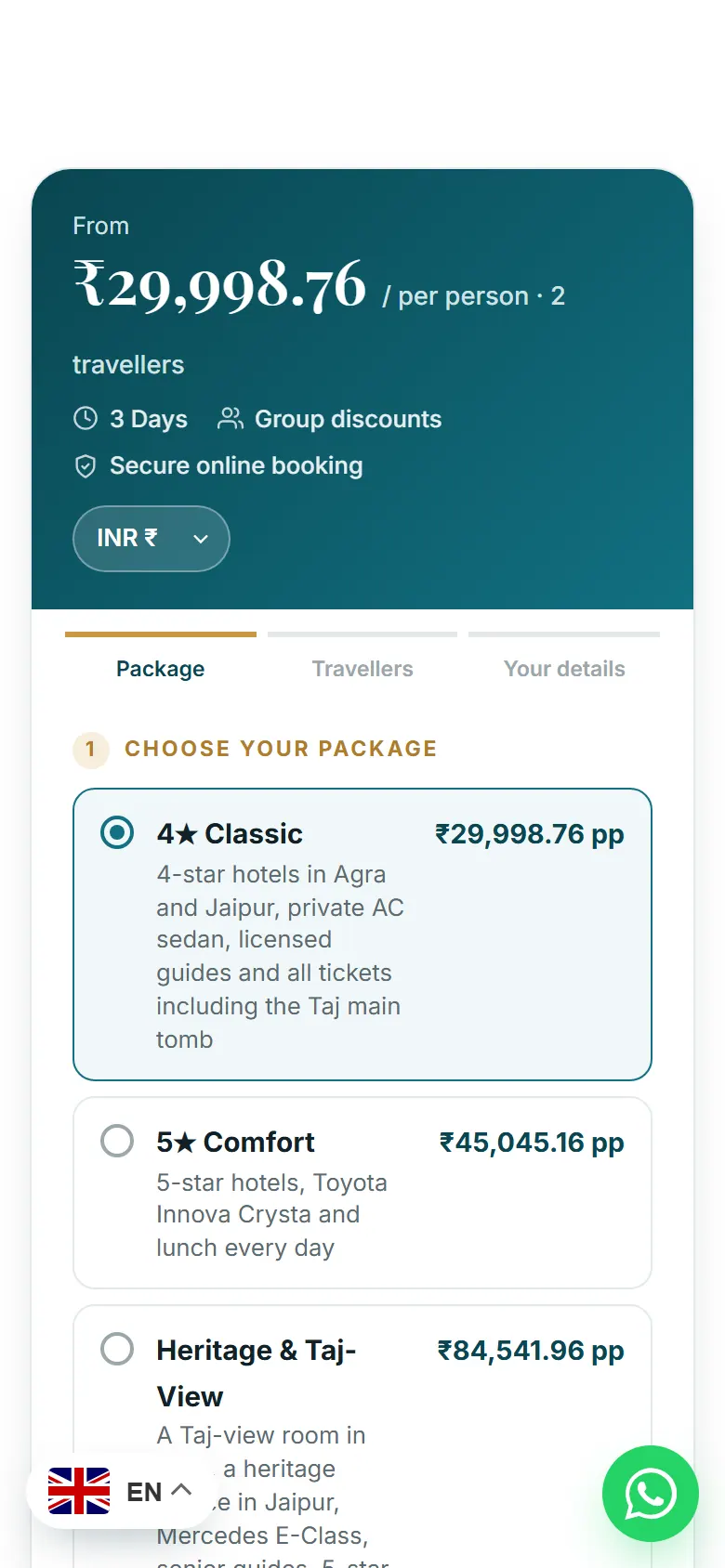
- The price per person.
- Change the currency here if you like.
- The three steps: Package, Travellers, Your details.
- Pick a package. Each shows what’s included and its price per person.
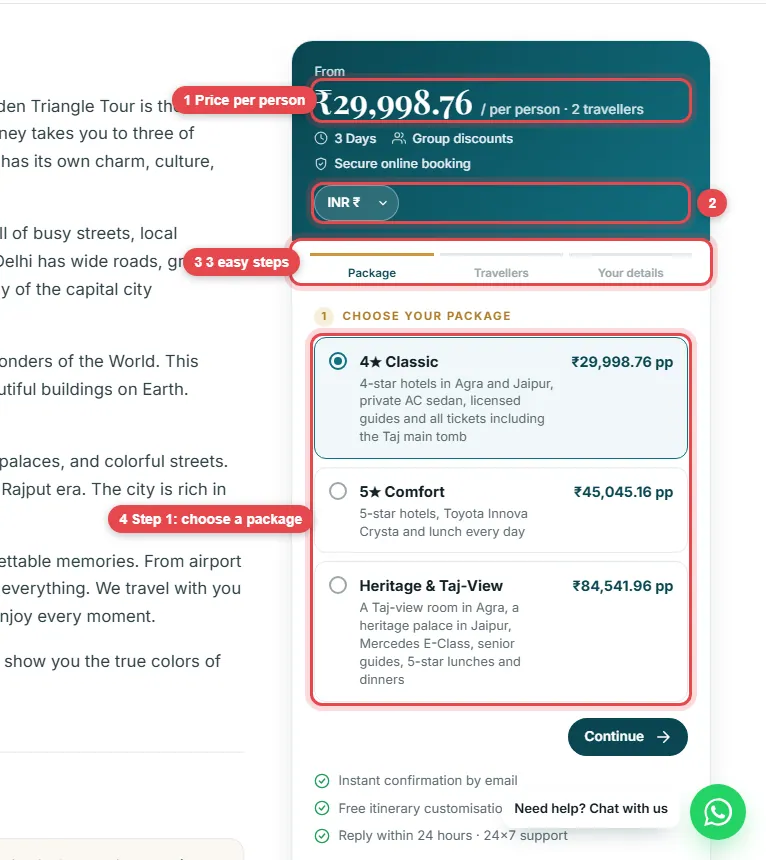
The price follows your choice
When you choose a different package, the price at the top updates straight away. Press Continue.

Step 2: travellers
- Set the number of adults and children with + and −.
- The group-size bar shows the discount for your group (here 3–4 people get 10% off).
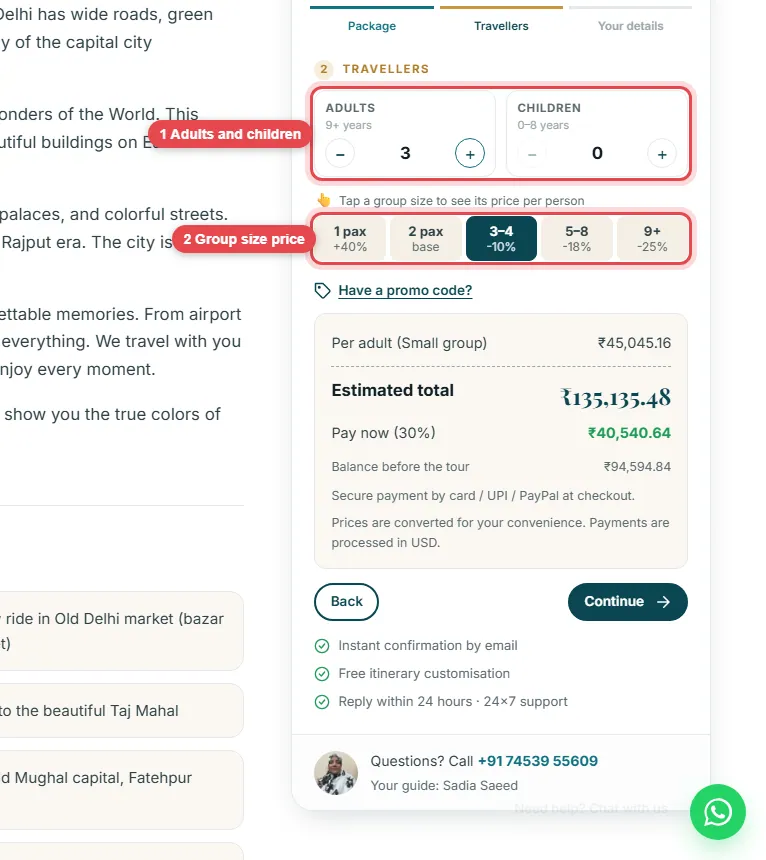
Promo code and price breakdown
Have a promo code? Tap Have a promo code? and enter it. Some tours also offer extras you can add here. The price breakdown shows the price per adult, the estimated total, what you pay now and the balance due before the tour.


Step 3: your details
Enter your name, email, mobile number and tour start date, plus any message (hotel, pickup point, special requests). The box to agree to the terms is never ticked for you.
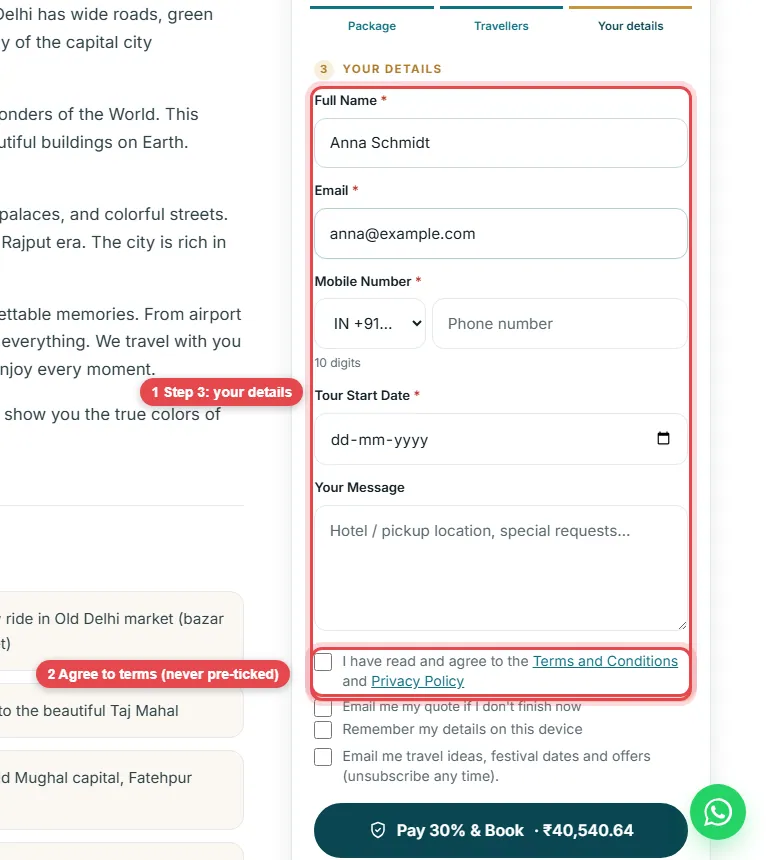
Book, enquire or chat
- Remember my details and Email me travel ideas are optional and start unticked.
- Choose how to go ahead: Pay 30% & Book to secure the tour with a deposit, Send Enquiry to ask first without paying, or Connect On WhatsApp to talk to us.
- Prefer to call? Your guide’s number is right there.

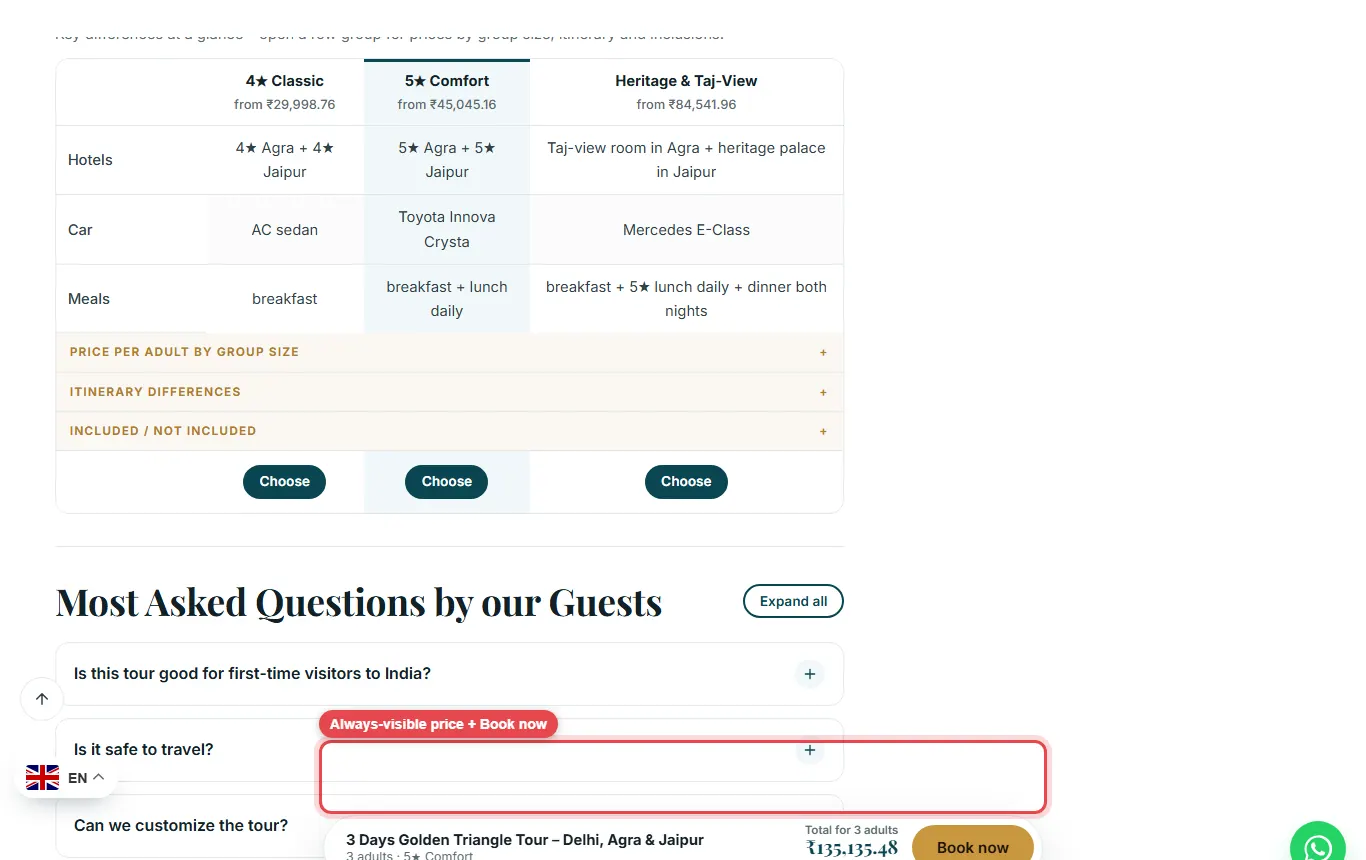
The price bar follows you
As you scroll, a bar at the bottom shows the tour, your choice, the total and a Book now button.
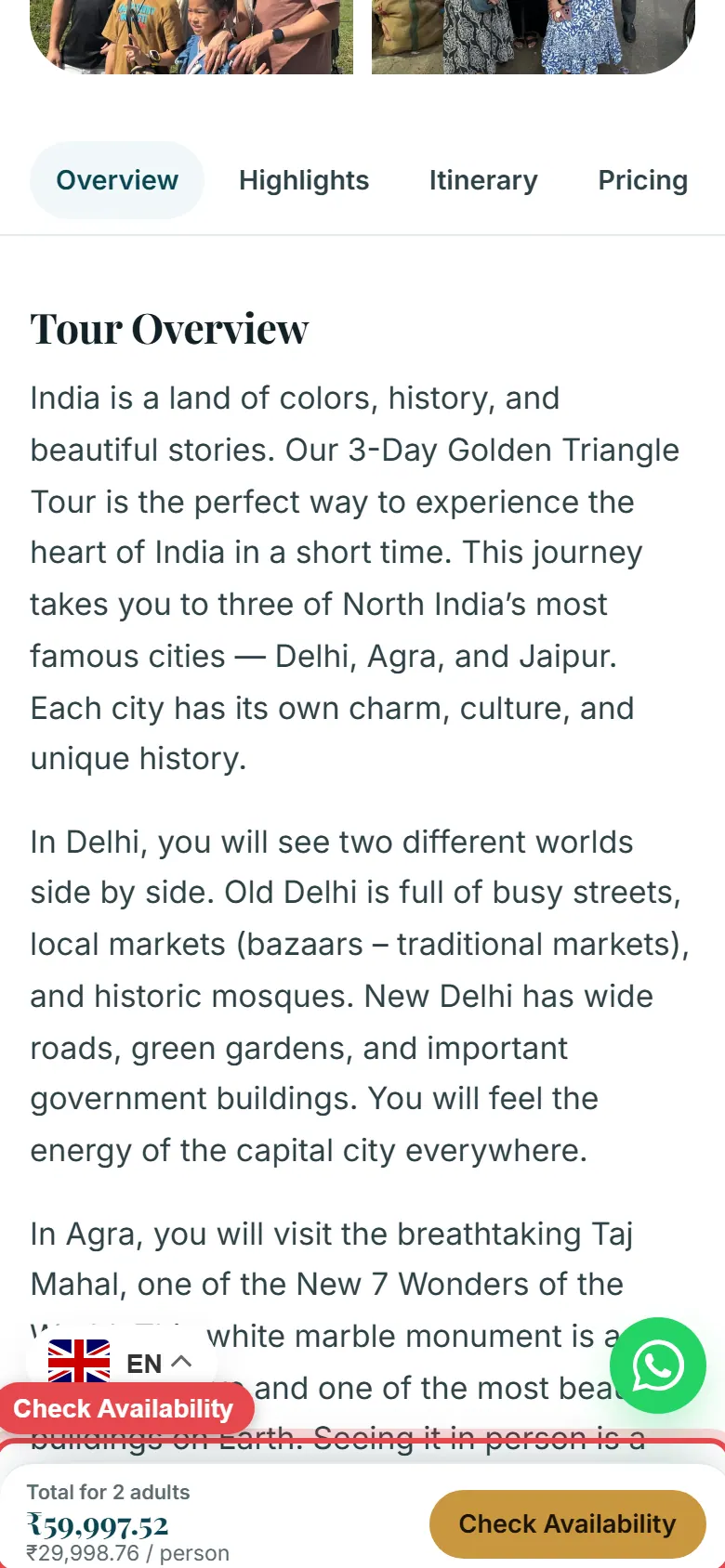
On a phone: Check Availability
On a phone, the bar at the bottom shows the total and a Check Availability button. Tap it to jump to the booking box.
Paying the balance
After paying the deposit you receive an email with a link to pay the balance before the tour. You can also see the balance under My account → My bookings (see Your account and bookings).